Home / Cleaning companies / SB-034
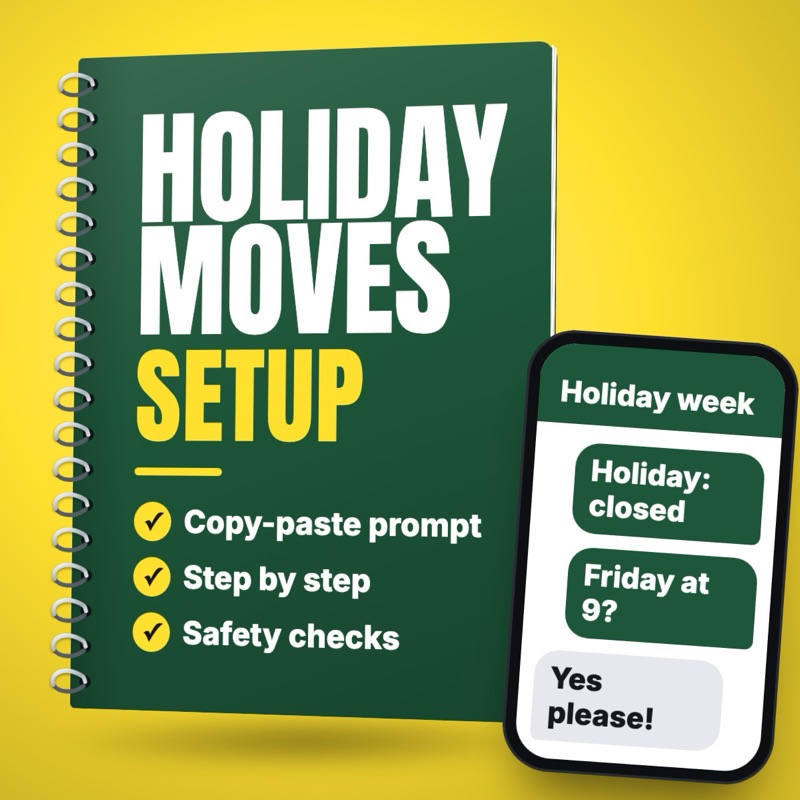
Move recurring cleaning clients when a holiday lands on their day
When a holiday closes your cleaning day, match each regular client to an open slot you choose and draft a short note for the owner to check and send.
- Who it suits
- House cleaning business owners, office schedulers, solo cleaners with regular clients
- Time saved
- About 30 to 60 minutes per holiday week of checking the calendar and writing the same message to each client (estimate)
- Level
- Easy
- Updated
- Nov 3, 2026
Why this task
Thanksgiving lands on a Thursday, and every Thursday client needs a new day that week. Checking each one's usual time, finding a slot your crews can really cover, and typing the same message over and over eats an evening. If one client misses the message, the crew shows up and can't get in, or the client stays home waiting for nobody. An agent can pair each client with an open slot you picked and draft a short note for each. The owner checks the calendar, sends the notes and books each slot only when the client says yes.
You help the owner of [COMPANY NAME], a house cleaning business in [TOWN], move regular clients whose visits fall on a holiday we close.

Our holiday rules (follow exactly, add nothing):
[HOLIDAY NAME | DAYS WE ARE CLOSED | CAN A CLIENT SKIP INSTEAD, YES OR NO | OUR EXACT WORDING ON HOW A SKIPPED VISIT IS BILLED | WHEN WE REMIND CLIENTS WHO HAVEN'T REPLIED]

Open slots we can offer (use only these, each one once):
[DATE | ARRIVAL WINDOW | CREW]

Clients to move (one per line):
[FIRST NAME | USUAL DAY AND ARRIVAL WINDOW | TYPE OF CLEAN | TEXT CONSENT YES OR NO | PREFERS A CALL YES OR NO]

Our texting opt-out line: [COPY IT HERE]
Tone of our notes: [FOR EXAMPLE: CHEERFUL AND SHORT]

Do this:
1. Pair each client with the open slot closest to their usual day and arrival window. Never give one slot to two clients. If no slot fits, say so and suggest nothing else.
2. If PREFERS A CALL is YES, write no note. Put them on a [CALL] list with their proposed slot.
3. For everyone else, write one note that names the holiday, says we are closed that day, offers their proposed slot, and asks them to reply to confirm. If our rules allow skipping, offer that too and use our billing wording exactly.
4. Look at TEXT CONSENT for every message, the reminder included. YES: write it as a text of two short sentences that finishes with our opt-out line. NO: write it as an email with a subject that names the holiday, kept to one short paragraph.
5. Billing for a skipped visit uses our rules' wording and nothing more. Say nothing else about money. Never ask for or mention entry codes, keys or alarm details.
6. Do not invent a date, window, crew or rule. Tag anything unclear [CHECK].

Also write one short reminder for clients who haven't replied, to send at the time our rules give and always before their proposed slot.

Show the pairings in a table first, then the notes, then the [CALL] list. You only draft. The owner does the sending.
Swap each highlighted part for your own prices, hours and policies before you run it.
Steps
- Write your holiday rules in a shared document: the days you close, whether a client may skip the visit instead of moving it, your exact wording on how a skipped visit is billed, and when you remind clients who haven't replied.
- From your scheduling app, list the regular visits that fall on the closed days: first name, usual day and arrival window, type of clean, whether the client agreed to texts, and whether they prefer a call. Leave out addresses, entry codes and key notes.
- Pick the open slots you can really cover that week, with the crew for each, and list them.
- Paste your rules, the open slots and the client list into the prompt below.
- Check each pairing against your calendar. Every slot goes to one client only, and the crew must be able to reach both homes on time.
- Phone anyone on the [CALL] list yourself, such as clients your notes say prefer a call.
- Send the approved notes from your texting tool or email. The owner presses send on every note, and a slot is booked only when the client confirms.
- At the time your rules set, and always before the new slot, send a reminder to anyone who hasn't replied. Phone anyone still silent the day before. Ask the AI (artificial intelligence) for that short reminder too.
What you get
A table pairing each regular client with one open slot, a short note for each that names the holiday and the new day and asks them to confirm, and a reminder for anyone who stays quiet. Clients who'd rather get a call are listed apart, and nothing goes out until the owner has checked it.
What could go wrong, and what to double-check
Two clients get offered the same slot, or a crew can't reach both homes on time.
CheckThe prompt gives each slot once, and the owner checks every pairing against the calendar before sending.
A client misses the message and the crew arrives and can't get in.
CheckEvery note asks for a reply, the reminder goes out before the new slot, and the owner phones anyone still silent the day before.
A note promises a free skip or a charge your rules don't back up.
CheckBilling wording comes from your rules word for word, and the owner decides any exception.
A client who only said yes to email gets a text.
CheckPrompt item 4 checks text consent on every note and the reminder, anyone without it is emailed, and texts finish with your opt-out line.
Entry codes, key locations or addresses get pasted into a tool.
CheckStep 2 leaves addresses, codes and key notes out of the client list, and prompt item 5 keeps access details out of every note.
Related setups
Reply to "too expensive" on a cleaning quote, and keep your price
Draft a calm reply when a client says your cleaning quote is too high: what the price covers, a smaller option if you offer one, and an easy next step.
Draft a recurring house cleaning quote from a home's details
Draft a recurring cleaning quote from rooms, square footage and pets, with the price math shown line by line from your own rate sheet.
Reply to a missed-spot cleaning complaint with a re-clean offer
Draft a warm apology and a re-clean offer when a client says a spot was missed, using your re-clean policy, for the owner to approve.